AI sales training
AI Cold Call Simulator: How to Practice Before You Dial
The short answer: An AI cold call simulator lets you speak with a simulated prospect before calling real leads. The best way to use one is to choose a specific call moment, describe the buyer and desired outcome, speak the full response out loud, and review one behavior before repeating the scenario.
A simulator is most useful when it behaves like a practice room, not a slot machine for high scores. You should know what you are rehearsing, hear the prospect react, and leave with a concrete change for the next attempt.
Pair this guide with AI SDR Training: Practice the Conversations Behind the Activity, then use the practice plan below to rehearse.
Set up a cold call simulation that matches your goal
Define the prospect's role, the reason for the call, the problem your offer may address, and what counts as a reasonable next step. Keep confidential customer information out of a general practice scenario. A fictional company with realistic constraints is usually enough.
Choose one difficulty variable. The prospect might be rushed, skeptical about how you found their number, satisfied with an existing process, or willing to talk but vague about the problem. Changing every variable at once makes the feedback difficult to interpret.
- Opener practice: earn 30 seconds without hiding the reason for the call.
- Discovery practice: ask a follow-up based on the prospect's answer.
- Objection practice: clarify the concern before responding.
- Next-step practice: suggest a proportionate action and confirm it clearly.
Run the simulation like a real conversation
Stand or sit the way you normally call, use your usual headset, and avoid reading a complete script. Notes can show the purpose of each stage, but your attention should stay on the prospect's words. Leave a beat after a question instead of filling every silence.
If the simulation misunderstands something, recover as you would on a call: restate the point briefly and check understanding. That recovery is useful practice. End the call when there is no fit instead of forcing every scenario toward a meeting.
Review one behavior before repeating
Read the transcript or feedback and locate the exact moment where the conversation changed. Did the opener become a pitch? Did you ignore an answer? Did the next step arrive before the buyer had a reason to continue? Choose one moment you can hear and change.
Repeat the scenario with the same buyer and difficulty. If the second attempt is clearer, save the principle rather than memorizing a sentence. Then test it in a different scenario. A simulator supports rehearsal; real calls and qualified coaching still provide the context that proves whether the behavior transfers.
Practice plan
Run the three-attempt simulator drill
Keep the scenario stable and change one behavior at a time.
- Attempt one: run the call without stopping.
- Review the opener, first question, objection response, and next step.
- Choose the one moment that most needs work.
- Attempt two: change only that moment.
- Attempt three: keep the improvement while the prospect becomes slightly less cooperative.
Frequently asked questions
What is an AI cold call simulator?
It is a voice or text experience in which AI plays a prospect so you can rehearse a cold call. Voice simulation is especially useful when you want to practice delivery and responding in real time.
Can I use a cold call simulator on my phone?
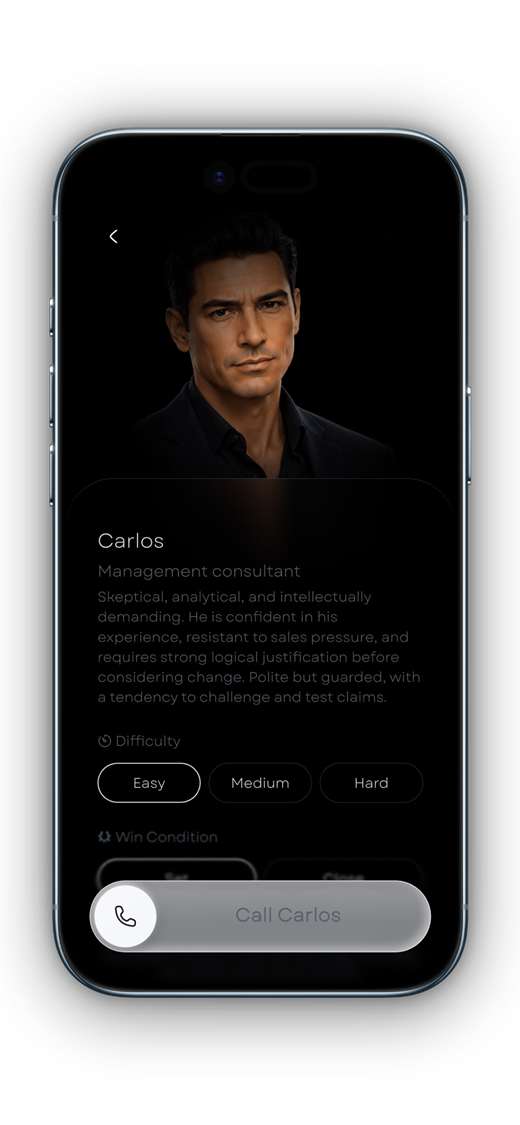
Yes. Salesy provides AI voice roleplay on iPhone and iPad, including cold-call and objection scenarios available in the app.
Does a high simulation score mean I will book meetings?
No. A score can help focus a review, but real outcomes also depend on targeting, offer, timing, list quality, and the buyer's situation.
Turn the idea into a reflex
Read less. Rehearse more.
Put one idea from this guide into a spoken practice call. Salesy: AI Sales Roleplay brings lessons, AI voice prospects and post-call feedback to iPhone and iPad. Choose an available scenario and work on your next response.
Get Salesy on the App StoreFree to download. In-app purchases available.