AI sales training
AI Sales Coach App: What to Look For Before You Install
The short answer: A useful AI sales coach app lets you speak through realistic sales conversations, responds to what you say, gives specific feedback, and makes another attempt easy. Evaluate the actual practice experience, scenario relevance, feedback evidence, mobile access, privacy information, and whether progress reflects skills you care about.
The label AI coach can describe a script generator, a call analyzer, a chatbot, or an interactive buyer. Decide which job you need the app to perform before comparing feature lists or subscription plans.
Pair this guide with Sales Call Simulator: How to Turn a Practice Call Into Progress, then use the practice plan below to rehearse.
Test the practice loop, not the feature list
Run a complete scenario if a trial or preview is available. Check whether you can speak naturally, whether the buyer responds to your actual words, and whether interruptions or unexpected answers change the conversation. A polished dashboard cannot replace a useful rehearsal.
Look at the time from finishing a call to starting another attempt. Improvement depends on repetition. The app should help you select one behavior, replay the moment, and compare the result without a long setup process.
Inspect how the feedback is supported
Specific feedback points to an observable moment, such as a missed follow-up, a long explanation, or an unclear next step. Broad praise and a single score may feel encouraging but give you little direction for the next call.
Treat automated feedback as practice guidance rather than unquestionable truth. Compare it with your recording, transcript, manager input, product rules, and real buyer outcomes. The strongest app makes reflection easier and leaves room for human judgment.
Check fit for your work and routine
Review available call types, buyer roles, difficulty, language, device support, accessibility, privacy information, and purchase terms. Confirm that the scenarios resemble skills you can transfer to your role. Do not assume every industry or niche is included.
Choose a routine you will repeat. A mobile app can work well for a five-minute warm-up before a call, a focused objection drill between meetings, or a short review at the end of a dialing block.
Practice plan
Use a seven-point app trial
Evaluate one real practice session from setup through replay.
- Choose a scenario related to an upcoming conversation.
- Complete the roleplay out loud without restarting.
- Identify one feedback point tied to a specific moment.
- Replay that moment with one deliberate change.
- Record whether the second attempt felt clearer and why.
Frequently asked questions
What does an AI sales coach app do?
Depending on the product, it may simulate buyers, analyze calls, generate practice prompts, provide feedback, track activity, or combine several of these functions.
Can an AI app replace a sales manager?
It can add private repetition and immediate practice feedback, but managers still provide business context, accountability, judgment, and coaching tied to real opportunities.
Is Salesy an AI sales coach app?
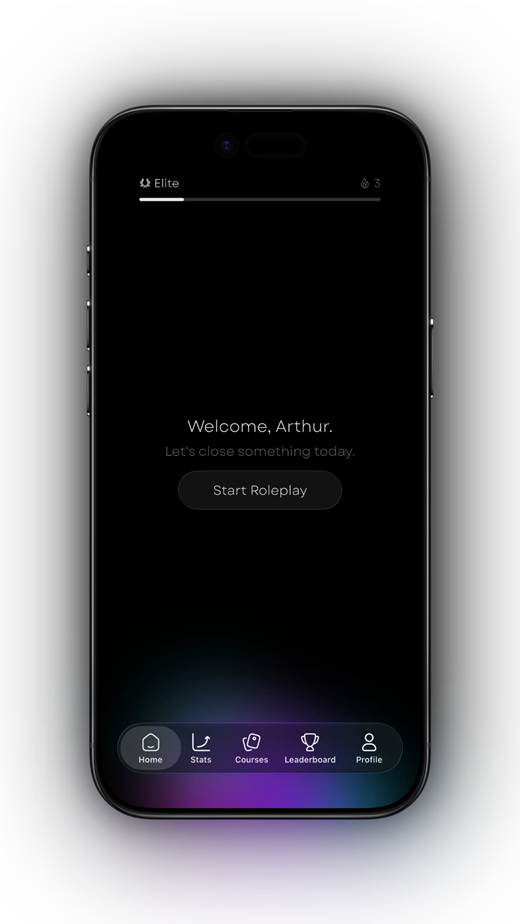
Salesy is a mobile AI sales roleplay app for spoken practice, instant post-call feedback, courses, scenarios, and progress tracking on iPhone and iPad.
Turn the idea into a reflex
Read less. Rehearse more.
Put one idea from this guide into a spoken practice call. Salesy: AI Sales Roleplay brings lessons, AI voice prospects and post-call feedback to iPhone and iPad. Choose an available scenario and work on your next response.
Get Salesy on the App StoreFree to download. In-app purchases available.