AI sales training
Sales Training App: How to Choose AI Practice for iPhone
The short answer: Choose an AI sales training app by testing the conversation you need to practice, the quality of its feedback and whether it fits your device and routine. For phone sales, check that it supports spoken roleplay. Compare current subscription terms and scenario availability before deciding.
A personal practice app should make it easy to rehearse without scheduling a manager or setting up a team account. The best fit for you depends on what you sell, the moment you find difficult and whether you can turn the feedback into a useful next attempt. Here is a practical evaluation method from the team behind Salesy.
Pair this guide with 13 Sales Roleplay Scenarios for Calls That Actually Get Difficult, then use the practice plan below to rehearse.
Start with the way you will use the app
If you want to practice between appointments or before a calling block, check that the full experience works on your phone. A mobile landing page does not necessarily mean the product supports mobile voice conversations. Confirm the supported devices, microphone setup and whether you need a quiet space for practice.
Choose a realistic slot in your week and imagine the steps from opening the app to starting a roleplay. An experience you can use consistently is more practical than a long feature list you rarely reach. If you need team reporting, assigned scenarios or administrator controls, evaluate those separately. They are different requirements from personal practice.
Test the voice conversation yourself
Run a short call and listen for whether the prospect responds to what you say. Ask an unexpected but relevant follow-up. Notice whether the conversation maintains its context and whether the response timing lets you speak naturally. One polished demo cannot tell you how every scenario will behave.
Also check how easy it is to recover from a misunderstood sentence or finish the session. A voice system does not have to imitate every human behavior to be useful, but it should give you a coherent situation in which to practice. Treat realism as something you evaluate in use.
- Can you speak instead of only choosing written answers?
- Does the prospect respond to your question and stay in context?
- Can you try a different response in another attempt?
- Does the practice fit the amount of time you actually have?
Match the scenarios to your training need
For a new SDR, an opener and an initial objection may be enough to start. An account executive may need deeper discovery or stakeholder conversations. A founder might need to clarify a new offer. Write down your requirement before comparing apps so you do not mistake a large scenario count for relevant coverage.
Industry-specific work may need details a general roleplay does not cover. Insurance, for example, includes many different products and sales processes. An educational guide about insurance sales does not mean a product has a matching insurance scenario. Check the current in-app scenario list and ask support if a particular niche is essential.
Look for feedback you can act on
After the practice call, ask three questions: does the feedback identify a specific moment, explain why it matters and suggest a change you can attempt? “Be more confident” is difficult to rehearse. “Pause after the question and let the buyer finish” gives you an observable behavior.
Repeat the exercise with that change and compare the conversation, not just the number on the results screen. Automated feedback may be incomplete or mistaken. For a decision that matters in your actual work, bring the context to a manager, coach or experienced peer.
Check subscriptions, privacy and current availability
Review the current price, billing period, included usage, renewal terms and any trial eligibility. Check where cancellation is managed. Do not assume a free download means all training features are free. Product terms can change, so use the live listing and purchase screen for the offer available to you.
Read the privacy policy to understand how voice and account information are handled. Use fictional buyer details for a general practice exercise. If you need to use confidential company material, follow your company's approval process for the specific tool.
Where Salesy fits
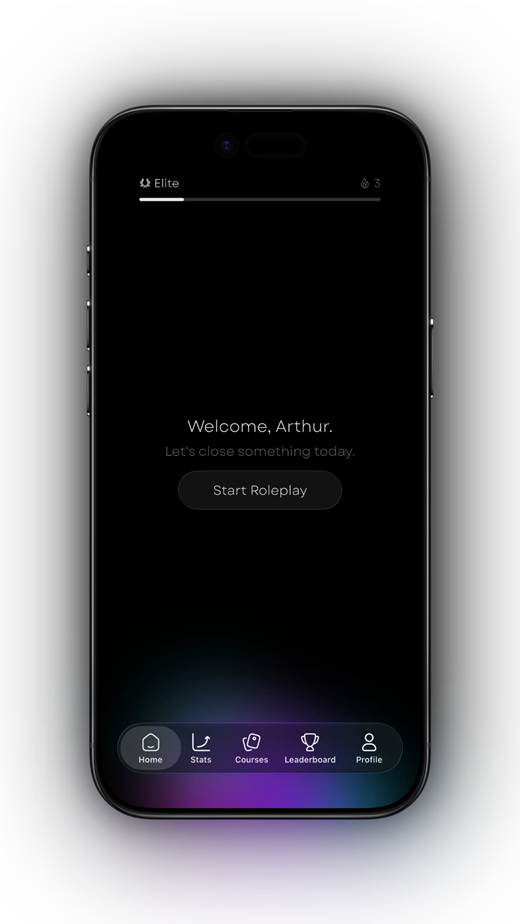
Salesy: AI Sales Roleplay is an iPhone and iPad app for individual sales practice. It includes short lessons, AI voice prospects, objection scenarios, post-call feedback and progress through ranks. The homepage shows current product screenshots and three selected App Store reviews so you can see the experience and hear from users.
Salesy is free to download with in-app purchases. Use the App Store for current terms, then test an available scenario that matches your practice goal. The website also has a sample objection exercise and free guides, including a ten-minute voice roleplay routine. The sample website exercise is not a live AI call.
Practice plan
Run a ten-minute app evaluation
Keep the same goal when comparing products so the differences are easier to judge.
- Write down the conversation and device you need.
- Choose the closest available scenario and run a short spoken roleplay.
- Record one useful feedback point and one limitation.
- Try the suggested change once and listen for a difference.
- Check the current price, usage terms and privacy policy before subscribing.
Frequently asked questions
What makes a good mobile sales roleplay app?
A good fit supports the device and conversations you need, offers useful spoken practice and gives feedback you can act on. Test those qualities yourself rather than relying only on feature counts.
Is Salesy available on iPhone and iPad?
Yes. Salesy: AI Sales Roleplay is available through the Apple App Store for iPhone and iPad. Check the listing for current device compatibility and purchase terms.
Do I need a team account to practice sales?
Personal practice apps such as Salesy let individuals work on their own conversations. Team management and reporting are separate requirements to evaluate if you are buying for an organization.
Turn the idea into a reflex
Read less. Rehearse more.
Put one idea from this guide into a spoken practice call. Salesy: AI Sales Roleplay brings lessons, AI voice prospects and post-call feedback to iPhone and iPad. Choose an available scenario and work on your next response.
Get Salesy on the App StoreFree to download. In-app purchases available.