AI sales training
Sales Training Software: Choose Lessons, Practice or Coaching
The short answer: Sales training software can deliver lessons, manage onboarding, simulate buyer conversations, assess knowledge, review calls, support coaching, or combine several functions. Choose the category that matches the actual performance gap, then pilot the learner and manager workflow with your content and evidence.
A training platform is not a single product category. A library of courses, a readiness system, an AI roleplay tool, and a conversation-intelligence platform may all appear in the same search results while solving different parts of sales development.
Pair this guide with Best AI Sales Roleplay Tools: Build the Right Shortlist, then use the practice plan below to rehearse.
Start with the job the software must do
Use learning and onboarding software when reps need structured knowledge, process, certification, or a role-based path. Use roleplay when they know the concept but need to retrieve it in a conversation. Use call review and conversation intelligence when the priority is understanding what happens in real customer interactions.
Coaching and enablement platforms may connect content, practice, manager workflows, and performance data. Broader coverage can reduce tool switching, but only if the important workflows are strong enough for your team.
- Knowledge: lessons, examples, quizzes, and certification.
- Practice: scenarios, voice roleplay, feedback, and replay.
- Observation: recordings, transcripts, search, and call review.
- Coaching: assignments, notes, plans, and manager follow-through.
- Enablement: content, readiness, governance, analytics, and integrations.
Translate the performance gap into requirements
If new reps cannot explain the product accurately, fix knowledge and content before adding a simulation. If they can explain it in a quiz but struggle when a buyer pushes back, practice may be the missing step. If behavior differs by manager, define and calibrate the standard.
Write requirements in workflow language: a manager creates a scenario in under twenty minutes, a rep practices on a phone, feedback cites the relevant exchange, and the manager can find attempts that need human review. This is more testable than asking for AI, gamification, or analytics in general.
Evaluate content, practice, evidence, and administration
Check whether you can use your methodology, products, buyer roles, languages, and examples without a long services project. Review the learner experience on the devices and network conditions reps actually use. Inspect accessibility and how quickly someone can resume work after an interruption.
For managers and administrators, test authoring, assignments, permissions, version control, calibration, reporting, exports, and support. Ask which data is measured directly, which is inferred, and what the dashboard cannot tell you.
Run a pilot that includes real work
Choose one role, one behavior, and one business context. Record a baseline, deliver the relevant knowledge, run practice, and review later calls for the same behavior. Include both enthusiastic users and people likely to encounter ordinary workflow friction.
Collect evidence at four levels: use, learning inside the tool, transfer to work, and business outcome. Do not collapse them into a single success number. Completion can rise while calls stay unchanged, and a revenue change can have causes unrelated to training.
Compare total effort, risk, and current terms
Compare licenses, usage limits, setup, content creation, integrations, implementation, manager time, support, renewal, and exit costs. Confirm current pricing with the vendor rather than relying on an older comparison page. Test whether the expected administrative work is realistic after launch.
Review security, privacy, retention, model-training terms, data location, roles, deletion, and the use of employee performance data. Bring the right internal stakeholders into the pilot before sensitive information or consequential scoring is involved.
Use a focused app when the need is individual practice
A company platform may be unnecessary for a rep who wants portable voice rehearsal, short lessons, and feedback. Individual tools can offer a faster start and a simpler routine, while leaving company-specific certification, reporting, and governance elsewhere.
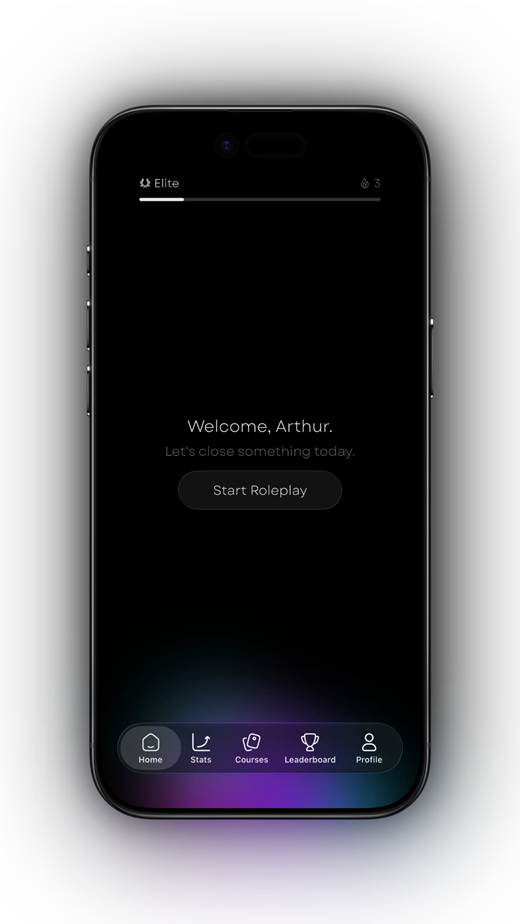
Salesy is an iPhone and iPad app for individual AI voice roleplay and sales learning, not a claim to provide every enterprise feature in this guide. Use the sales training app checklist for personal practice or the AI roleplay software checklist for a team purchase.
Practice plan
Write a software requirement from one skill gap
Define the workflow before scheduling demos or comparing feature grids.
- Name the role, skill gap, and evidence that the gap exists.
- Decide whether the need is knowledge, practice, observation, coaching, or a combination.
- Write the learner and manager workflow in testable steps.
- Select baseline, learning, transfer, and outcome measures.
- Pilot with current content, normal devices, and realistic administration.
Frequently asked questions
What is sales training software?
It is software used to deliver sales learning, onboarding, practice, assessment, call review, coaching, readiness, or enablement workflows.
What features should a sales training platform have?
The features depend on the job. Common needs include authoring, role-based paths, practice, feedback, assignments, reporting, permissions, integrations, accessibility, and governance.
Is AI roleplay the same as sales training software?
AI roleplay is one type of sales training software. It focuses on simulated conversations, while the broader category also includes learning, onboarding, call review, coaching, and enablement systems.
Turn the idea into a reflex
Read less. Rehearse more.
Put one idea from this guide into a spoken practice call. Salesy: AI Sales Roleplay brings lessons, AI voice prospects and post-call feedback to iPhone and iPad. Choose an available scenario and work on your next response.
Get Salesy on the App StoreFree to download. In-app purchases available.